
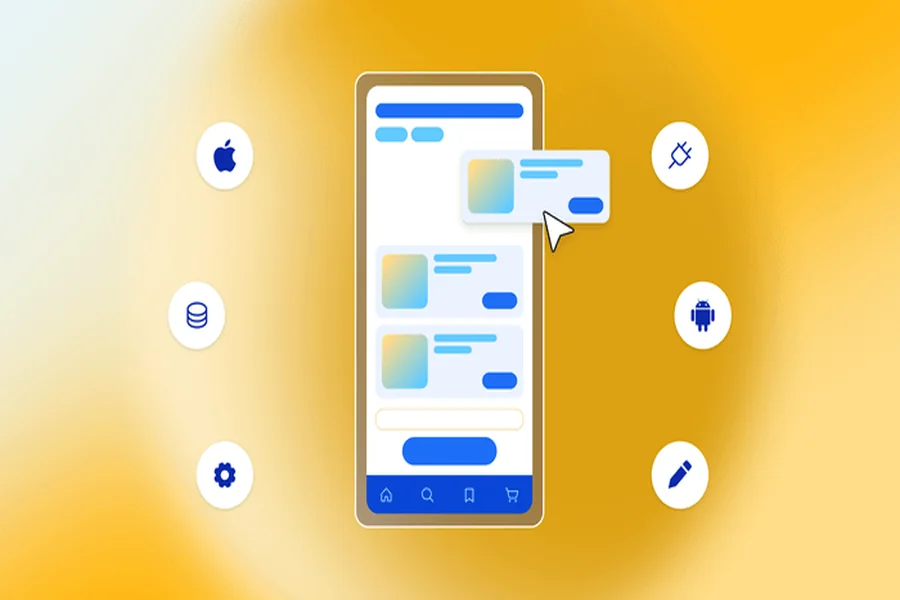
Designing a mobile app from scratch is a time-intensive process and doing it well requires both creative skill and technical knowledge. That is why mobile app UI design templates have become one of the most widely used resources among designers developers and product teams around the world. A good template does not replace your creativity — it accelerates it by giving you a solid foundation to build from rather than starting with a blank canvas every single time.
What Are Mobile App UI Design Templates
A mobile app UI design template is a pre-built collection of interface elements screens and components that can be used as the starting point for a mobile application’s visual design. These templates typically include everything from navigation bars and buttons to card layouts input fields and modal windows — all structured and styled to work together as a coherent system.
Templates are available for the most popular design tools including Figma Adobe XD Sketch and more recently for code-first environments where UI components are available as code libraries in React Native or Flutter. The quality and scope of available templates has grown significantly in recent years making them viable for professional projects rather than just quick prototypes.
Why Designers and Teams Use UI Templates
The primary reason teams reach for mobile app UI design templates is speed. Building a comprehensive design system from zero takes weeks even for experienced designers. A quality template compresses that timeline dramatically allowing you to spend your design energy on the decisions that are specific to your product rather than on reinventing established patterns.
Templates also help teams maintain consistency. A well-built template includes spacing systems colour tokens and type scales that ensure every screen feels like part of the same product. This consistency is harder to achieve than most people realise especially on larger teams where multiple designers work simultaneously.
How to Evaluate a UI Template Before Using It
Not all templates are created equal. Before committing to one for a real project it is worth evaluating it across a few key criteria. First is coverage — does it include all the core screens and components your app will need? A template that covers home screens and settings but lacks onboarding flows or search interfaces may create gaps that slow you down later.
Second is quality of organisation. A well-built Figma template for example will use components properly so that changes to a button style automatically propagate across all instances. Poorly built templates are essentially flat images that offer no real editing flexibility. Third is visual style — does the aesthetic align with your product’s identity or will you need to rework it so significantly that the template offers little actual time saving?
Where to Find Quality UI Templates
The design community has built an impressive ecosystem of free and paid mobile app UI templates. Figma Community is one of the best starting points — it hosts thousands of templates many of them free and you can filter by category quality and download count to find the most reputable options.
UI8 and Creative Market offer more polished premium templates that often come with more comprehensive coverage and better documentation. For code-based templates the Expo and React Native communities maintain extensive libraries of UI component kits that speed up the development side of the process in addition to the design side.
Customising Templates to Fit Your Brand
Using a template does not mean your app will look like everyone else’s. The value of a template is in its structure not its surface styling. Once you have chosen a template the process of customising it to fit your brand is where your actual design work begins.
Start with the colour palette. Replace the template’s default colours with your brand colours and see how the system responds. Then move to typography — swap the typefaces for those you have chosen for your product. Adjust spacing and border radius to match your visual identity. These changes alone can transform how distinctive a template looks and they are often much faster to implement than building from scratch.
Accessibility Considerations in Template Selection
One area that is often overlooked when selecting mobile app UI design templates is accessibility. A template with contrast ratios that do not meet WCAG standards will create accessibility problems downstream that take time to fix. Look for templates that explicitly mention accessibility compliance or check the contrast ratios of the key text and background combinations yourself before committing.
Touch target sizes are another consideration. Buttons and interactive elements should be at minimum 44 by 44 points to be comfortably tappable on a phone screen. Templates that use undersized touch targets create usability problems that affect all users not just those with accessibility needs.
Final Thought
Mobile app UI design templates are one of the most practical tools available to modern designers and product teams. Used well they accelerate the design process without constraining creativity. The key is choosing a quality template evaluating it critically customising it thoroughly and always prioritising accessibility alongside aesthetics. A template is a starting point not a finished product — what you do with it is what matters.
FAQs
Are free UI templates good enough for professional projects?
Many free templates on Figma Community and similar platforms are of high quality. Evaluate them by the same criteria as paid ones — coverage organisation and customisability.
What design tool is best for mobile app UI templates?
Figma is currently the industry standard and has the largest ecosystem of templates. It is also free for individuals and small teams making it the most accessible starting point.
Can non-designers use UI templates to design an app?
Yes to a degree. Templates make it easier for non-designers to create functional wireframes and prototypes but producing polished production-ready designs still benefits from design experience.
How do I know if a template is accessible?
Check the contrast ratios of text against backgrounds using a free tool like WebAIM’s contrast checker. Also verify that interactive elements meet minimum touch target size guidelines.
Should I buy a premium template or use a free one?
Premium templates typically offer more comprehensive coverage better documentation and higher quality component organisation. For serious professional projects they are often worth the investment.
